
01
Precise drafting
Start with a command.
Draw and edit with command autocomplete, object snaps and tracking. Organize your drawing with layers, blocks and external references.
LINEPLINEOFFSETTRIMFILLET
Open-source CAD · Desktop + Web
Draw in 2D, create layouts and model in 3D. Open a file from your device and save your work locally, in your browser or on your desktop.
Free · No account · No installation
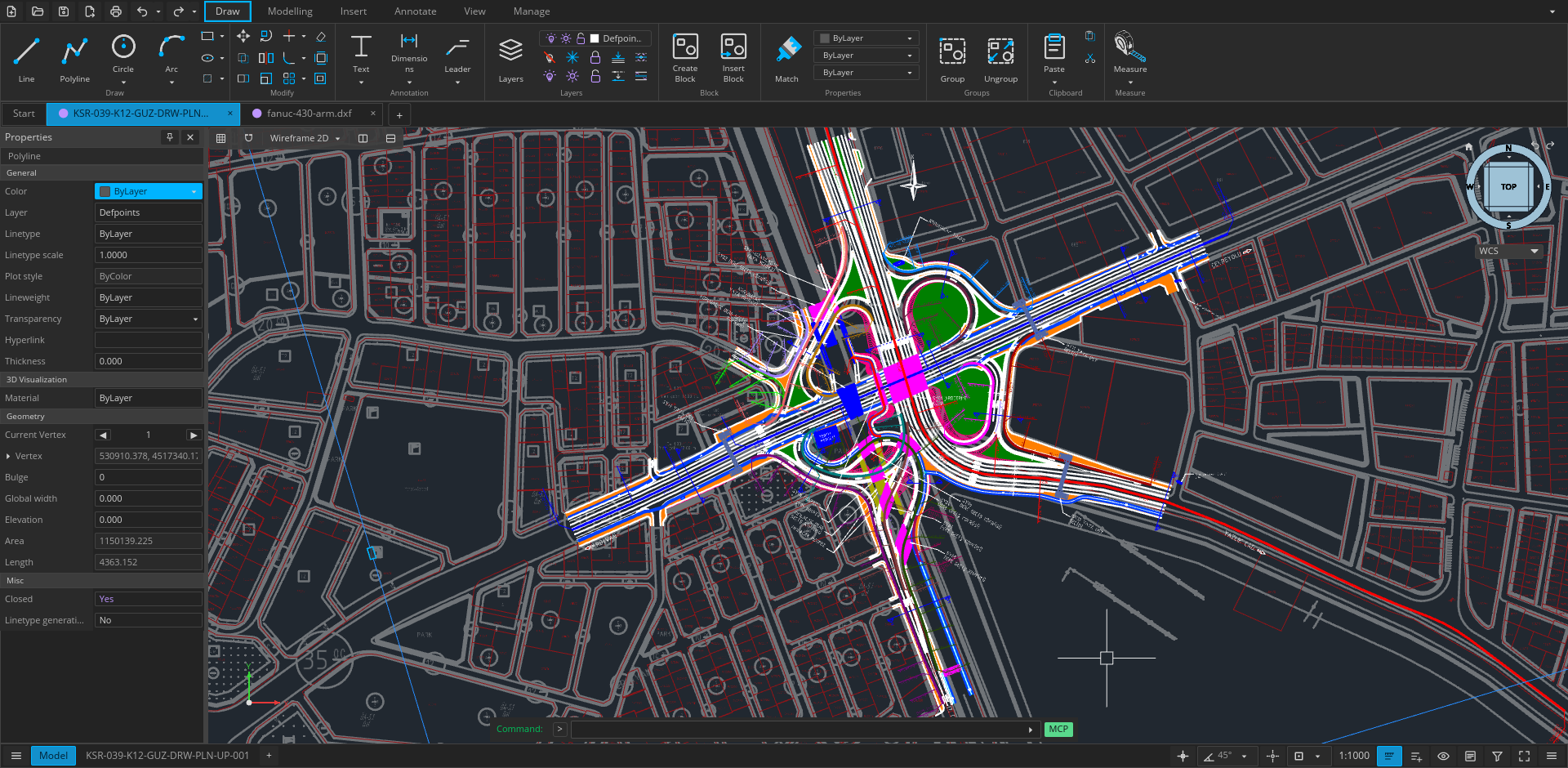
Drafting and documentation
Commands, precise placement and drawing sheets in one workspace.
Precise drafting
Draw and edit with command autocomplete, object snaps and tracking. Organize your drawing with layers, blocks and external references.
LINEPLINEOFFSETTRIMFILLET
Documentation
Add text, dimensions, leaders, tolerances and tables. Arrange paper-space layouts with viewports and plot styles.
Open workflow
Open and save native DWG and DXF files on your device. The source code is public and the tools are free to use.
Kernel-backed 3D
Create primitives, extrude, revolve, sweep and loft. Combine or subtract solids with Boolean operations handled by the geometry kernel.
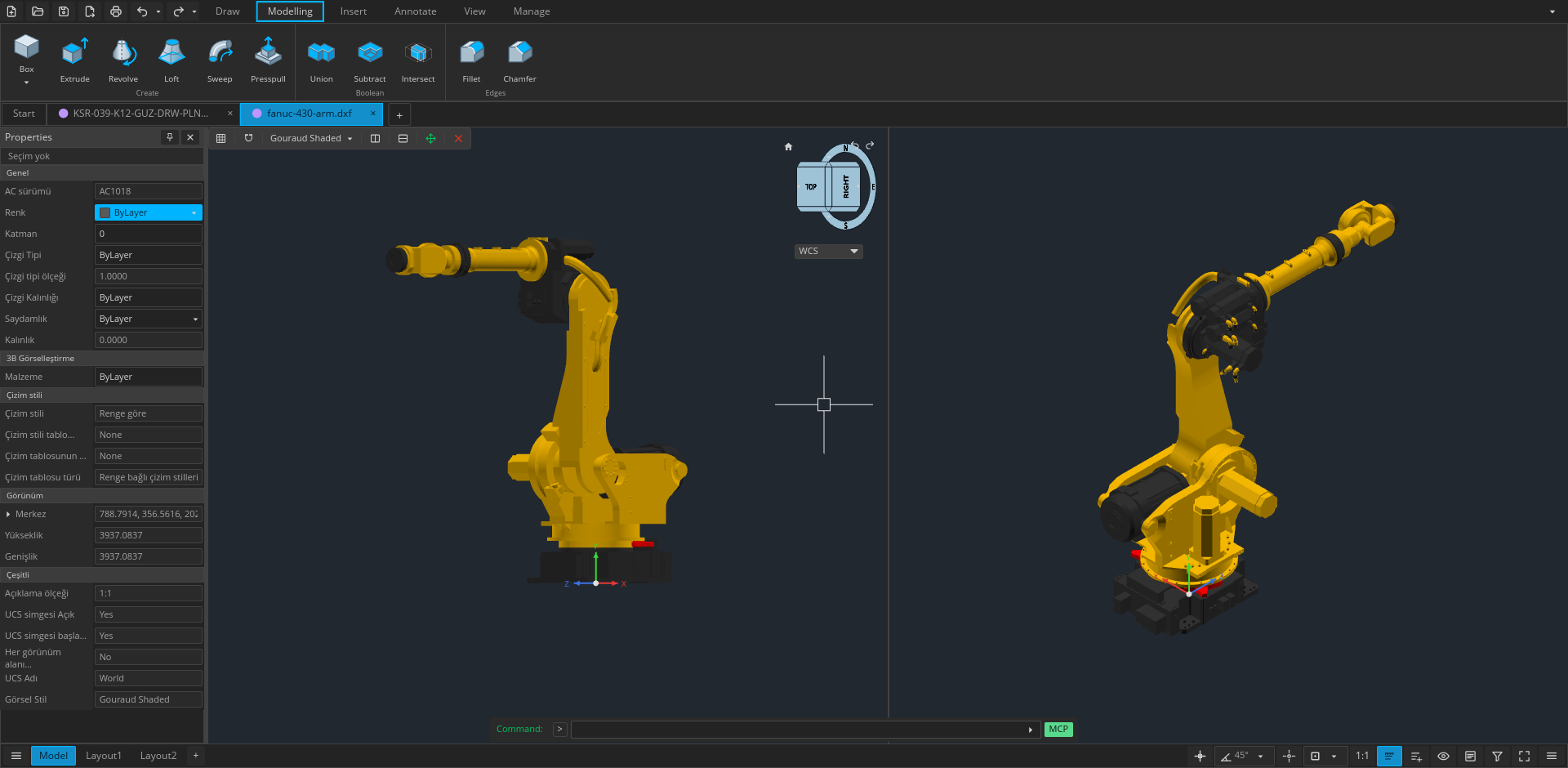
One core, two ways to work
No account or installation. Choose a local drawing, edit it and download the result. The first launch downloads the application.
For large drawings and native integrations, use the desktop app.
Launch web appUse file associations, thumbnails, system printing, PDF output, native plugins, scripts and headless automation.
Download the latest release Release notesFile workflows
Open and save DWG and DXF directly, with save targets from R14 to R2018. Work with recovery files, meshes and property exports too.
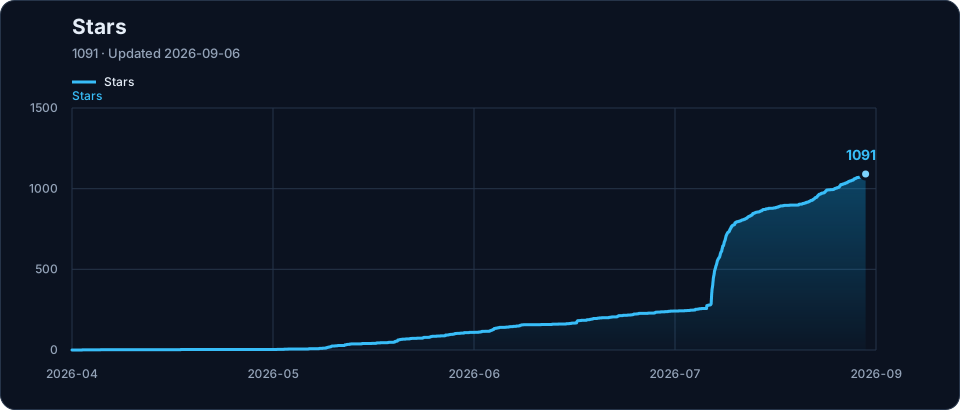
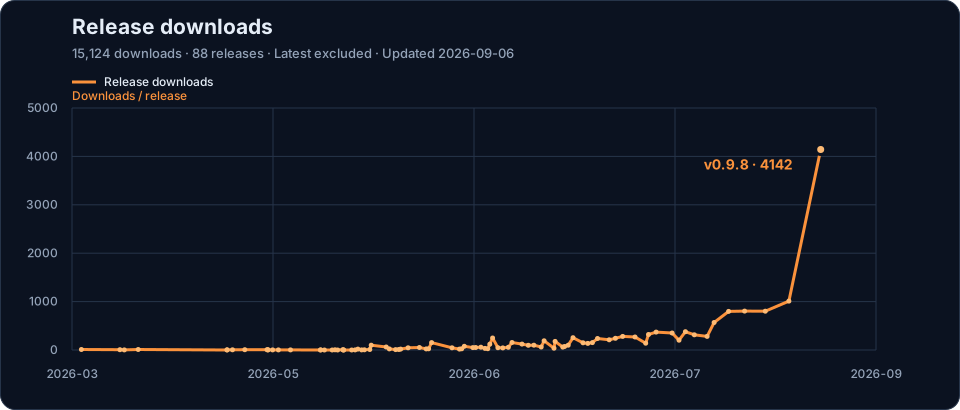
Project growth
Follow the project through GitHub stars and release downloads.
Common questions
Yes. The project is open source and distributed under the GPL-3.0 license.
No. Open the web app in a modern browser. Drawings are opened from your device and saved as local downloads.
Packages are available for Windows, Linux and Apple Silicon macOS.
The project is under active development. Keep backups and report reproducible problems on GitHub.
Built in the open
Report issues, contribute code or support development.